
Switching to OpenDog
Switch to OpenDog without starting from zero.
Switching can feel risky when your day depends on dogs, clients, addresses, notes, invoices, and timing. Start with what you already use, check it before you rely on it, and keep grooming while the day gets more organized.
- Start with active clients and pets
- Check before saving
- Email reminders live; SMS Coming Soon

Before you save
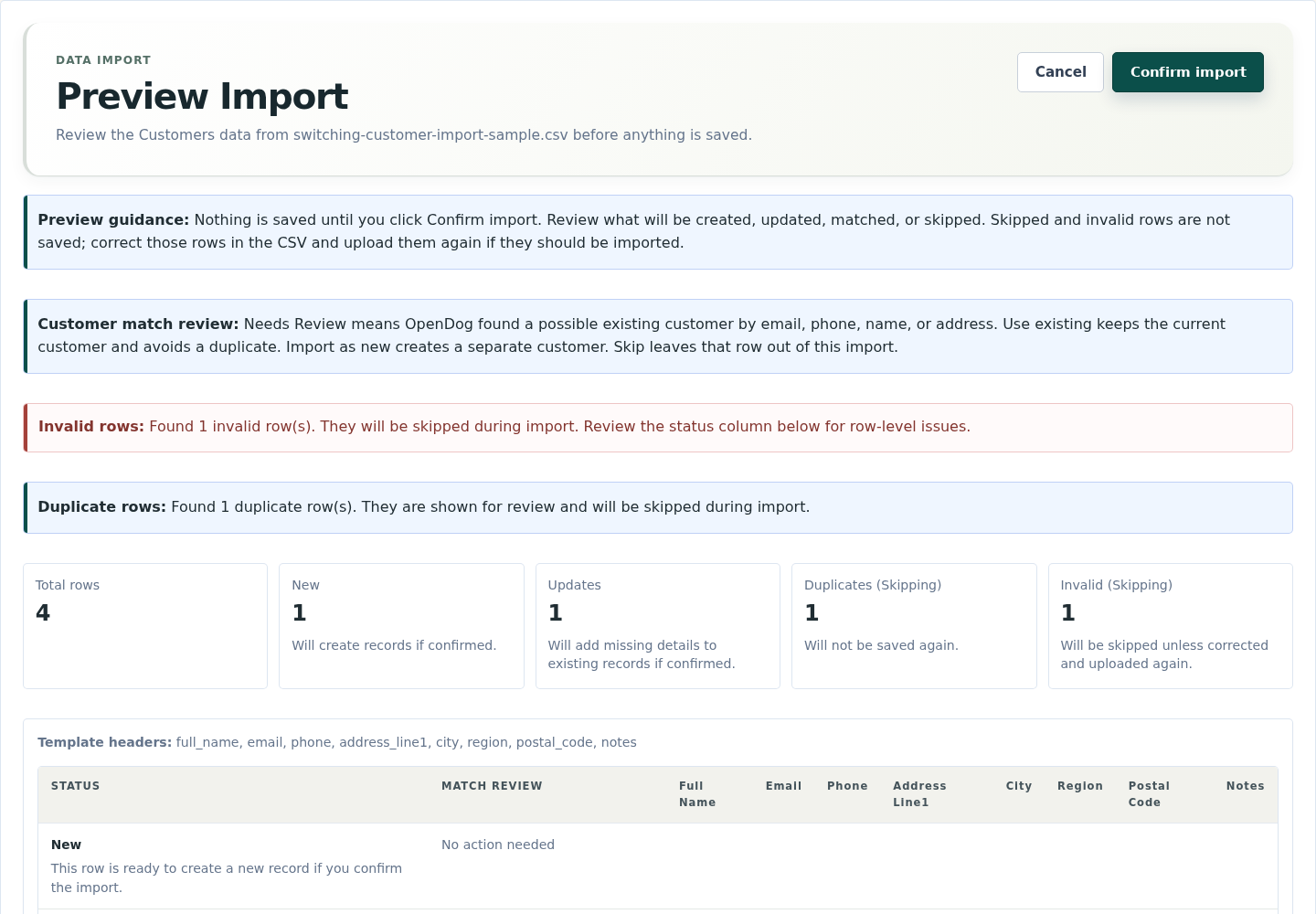
Check the client list before you use it.
Preview new clients, possible matches, duplicates, skipped rows, and cleanup notes before anything is saved.
During the move
See what makes the switch feel safer.
Check clients, review new requests, and keep pet notes close before the first route depends on them.
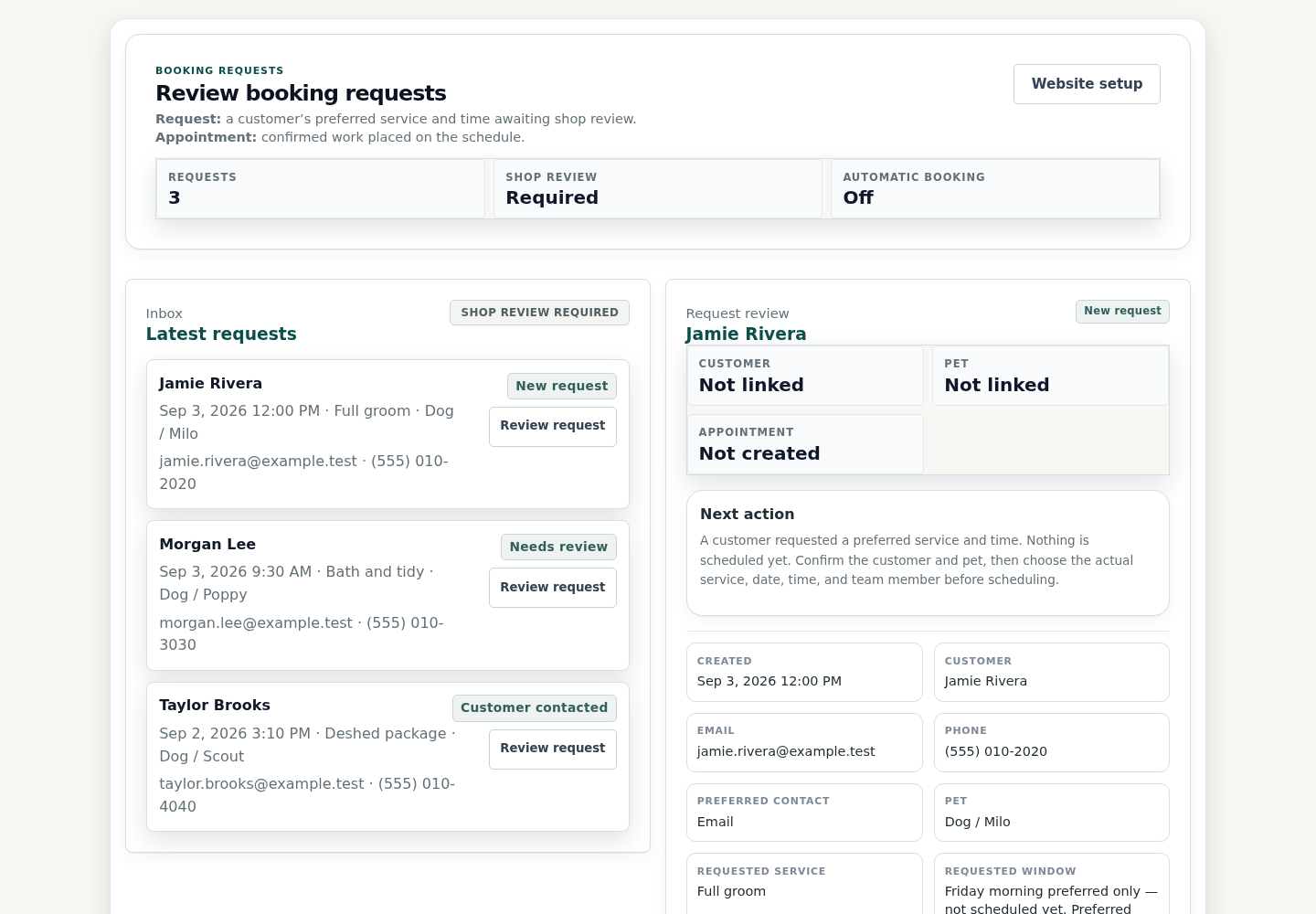
Review requests before they hit the schedule
Check the client, pet, service, route fit, and time before creating an appointment.
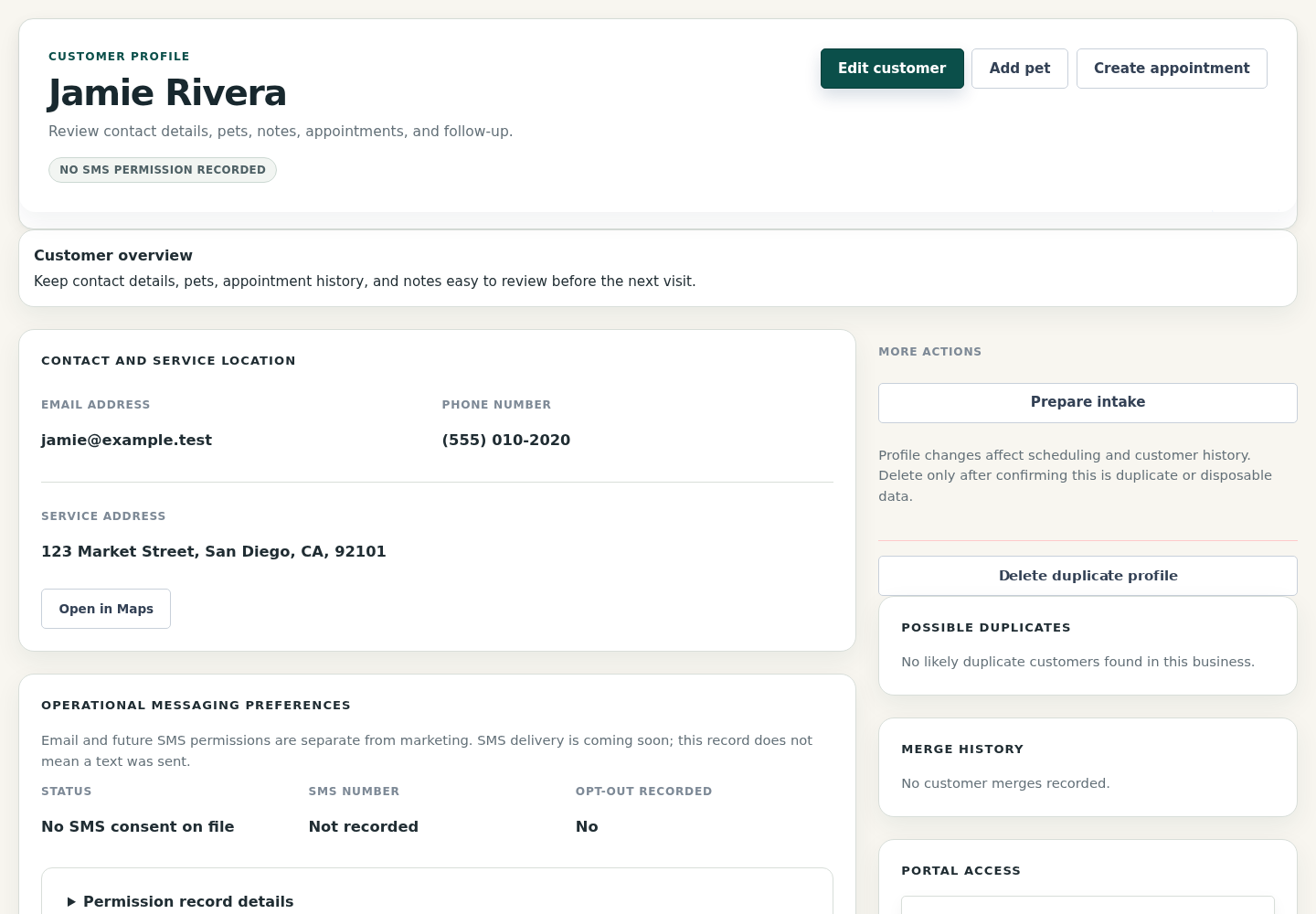
Keep client and pet details easy to find
Contact details, service address, pet notes, and appointment history stay close to the next groom.
Start with the dogs and clients you see next.
Begin with active clients, pets, notes, photos, addresses, services, upcoming appointments, balances, and rebooking needs. Older history can wait.
- Preview matches, duplicates, skipped rows, and cleanup notes before saving.
- Start with what your next route needs.
Put the day in one calm place.
Texts, photos, calendar notes, and payment reminders can all hold pieces of the same groom. OpenDog keeps the pet, client, visit, invoice, and next booking close.
- Find pet notes before arrival.
- Spend less time digging through old messages.
Check the route before you confirm.
Mobile grooming needs drive time, service areas, customer windows, route order, vans, buffers, and pet readiness. You choose changes; confirmed appointments do not move by themselves.
- See whether a new request fits the route.
- Reorder and recalculate when the day changes.
Turn on client-facing pieces when ready.
Website pages, request forms, card payments, deposits, and your web address can be prepared before clients depend on them. Email confirmations and reminders are live. SMS/texting and on-my-way texts remain Coming Soon.
- Customers approve saved-card charges.
- Email clients now; keep SMS marked Coming Soon.
First week
Plan the first week.
Start with active clients
Bring over the dogs, notes, appointments, balances, and rebooking needs your next routes use.
Set route basics
Add service areas, availability, buffers, staff, vans, and route preferences before confirming new work.
Keep payments clear
Use invoices, balances, receipts, card payments, and deposits only when setup and customer permission support them.
FAQ
Common questions from grooming businesses.
Can OpenDog copy everything automatically?
No. What moves depends on what your old file includes. You can preview spreadsheet or CSV files, spot matches and duplicates, and fix skipped rows before saving.
What should I prepare first?
Gather active clients, pets, services, prices, notes, photos, upcoming appointments, addresses, service areas, balances, and rebooking habits.
Do I have to switch everything in one day?
No. Start with the next few routes, then clean up older notes as you go. The goal is a steady first week, not a perfect archive.
Will requests or route tools change my calendar automatically?
No. Clients can request grooming, and route tools can help estimate drive time and reorder the day, but you confirm appointments and choose changes yourself.
Can I move my website and take card payments?
Yes, when each piece is ready. We will help connect your web address before it goes live. Card payments and deposits need payment setup, and customers approve saved-card charges.
Are email, SMS, and support available?
Email confirmations and reminders are live. SMS/texting and on-my-way texts remain Coming Soon. Support can help with setup questions, import planning, routes, payments, website choices, and what to handle later.
Start with the business you already run.
Create a trial, bring over the first clients and pets, check the details, and decide when OpenDog is ready for requests, invoices, payments, email reminders, and rebooking.