
Scheduling & routes
Plan a calmer route before the van leaves.
OpenDog helps you see the stops, drive time, service areas, client windows, dog notes, buffers, groomers, and vans before the day gets expensive. You can preview a better order, make changes by hand, recalculate, and confirm what actually moves.
- Review drive time before you go
- Keep each dog's details close
- No appointment moves without your choice
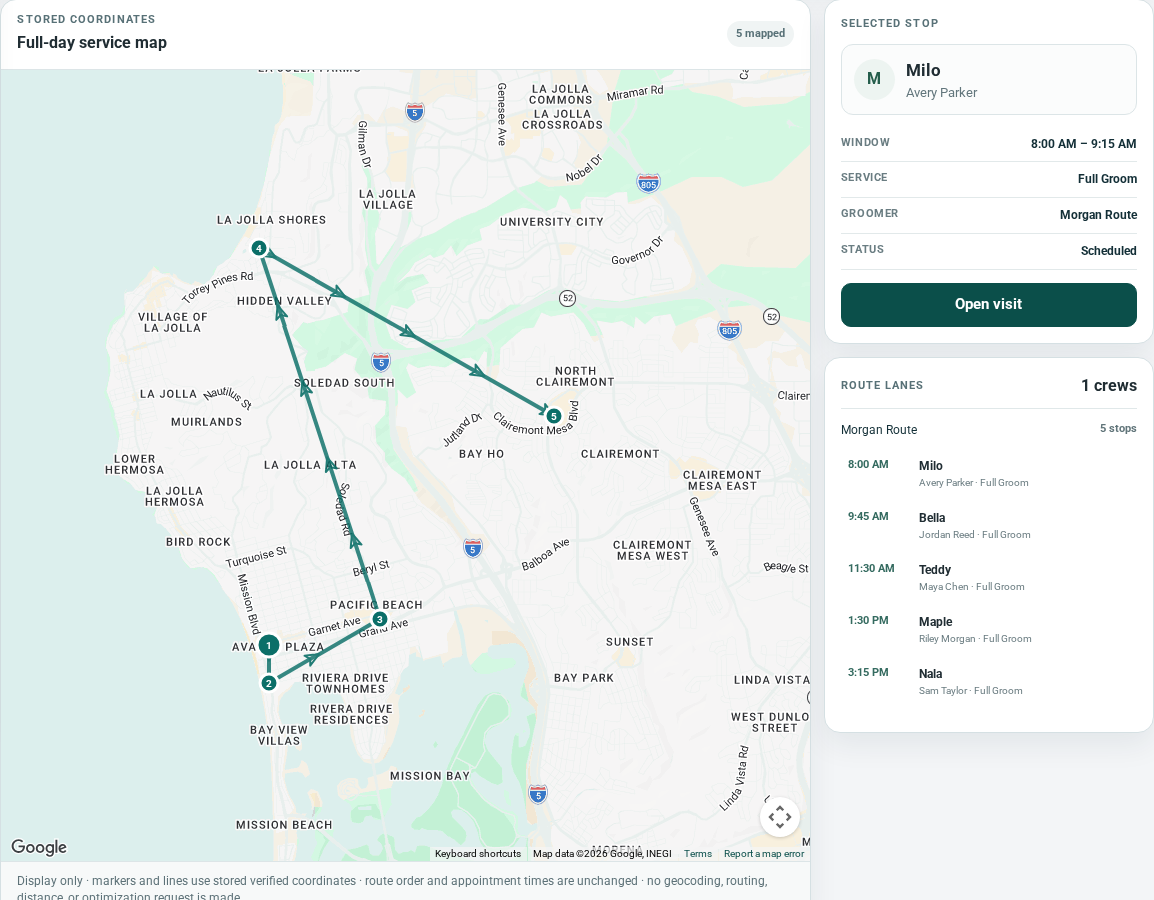
Route review
Compare the route before you change it.
Preview distance, compare a suggested order, and choose what to apply before changing the saved route for a groomer or van.

Protect the miles that make money.
A full calendar can still be a bad day if the route sends you back and forth across town. OpenDog keeps time, place, service area, appointment length, and buffers close together so you can spot painful gaps before the morning starts.
- See long jumps before you commit.
- Plan by neighborhood and client window, not just open time.
- Keep room for hard dogs, breaks, and cleanup.
Arrive ready for the dog in front of you.
The stop is not just an address. OpenDog keeps pet notes, customer details, service length, access notes, invoice status, and follow-up near the appointment so the groomer is not digging through texts in the driveway.
- Know the coat, behavior notes, and household context.
- See who owns the stop: groomer, van, and route order.
- Check payment or rebooking needs before you leave.
Change the day only when you mean to.
When the route needs work, OpenDog lets you preview distance, compare a suggested order, reorder stops, and recalculate. Confirmed appointments do not move quietly in the background; you choose what to apply.
- Preview before changing the saved route.
- Apply stop-order changes only after confirmation.
- Keep appointment times and assignments unless you confirm a day-plan update.
Take requests without losing the route.
Clients can ask for grooming online, but a request is not a confirmed appointment. You can check the address, service area, timing, dog details, and route fit before you say yes.
- Protect your best service areas.
- Avoid squeezing in a stop that breaks the day.
- Give clients a cleaner answer with the facts in one place.
Works for one van or a growing team.
Solo groomers need the route to stay profitable. Teams need clear handoffs between groomers, vans, notes, and stops. OpenDog keeps the day organized around the work that has to happen on the road.
- Plan one route with confidence.
- See team and vehicle needs before dispatch.
- Keep the next decision tied to the right appointment.
FAQ
Common questions from grooming businesses.
Does OpenDog automatically optimize my route?
No. OpenDog helps you review drive time, compare route order, and recalculate when the routing tools are configured. You choose what to apply; confirmed appointments are not moved silently.
Can appointment times change?
Appointment times stay put unless you use a reviewed day-plan option and confirm the change. Stops without saved customer windows remain fixed.
What details can I check before confirming a stop?
You can review service area, address readiness, customer window, appointment length, buffer time, dog notes, groomer or van assignment, route order, and follow-up needs.
Can clients book any open spot?
No. OpenDog is request-first. Clients ask for grooming, and you review route fit, service area, timing, availability, and pet details before confirming.
Are on-my-way texts live?
Email confirmations and reminders are live. SMS and on-my-way texts remain Coming Soon, so they should not be treated as active route messaging yet.
Does it work for multiple groomers or vans?
Yes. OpenDog supports groomer and vehicle assignment so owners can see who is responsible for each route and stop.
Build a route that feels calmer before the day starts.
Start a trial, bring the way you schedule today, and see how OpenDog keeps the route, dogs, clients, vans, payments, and rebooking closer together.